
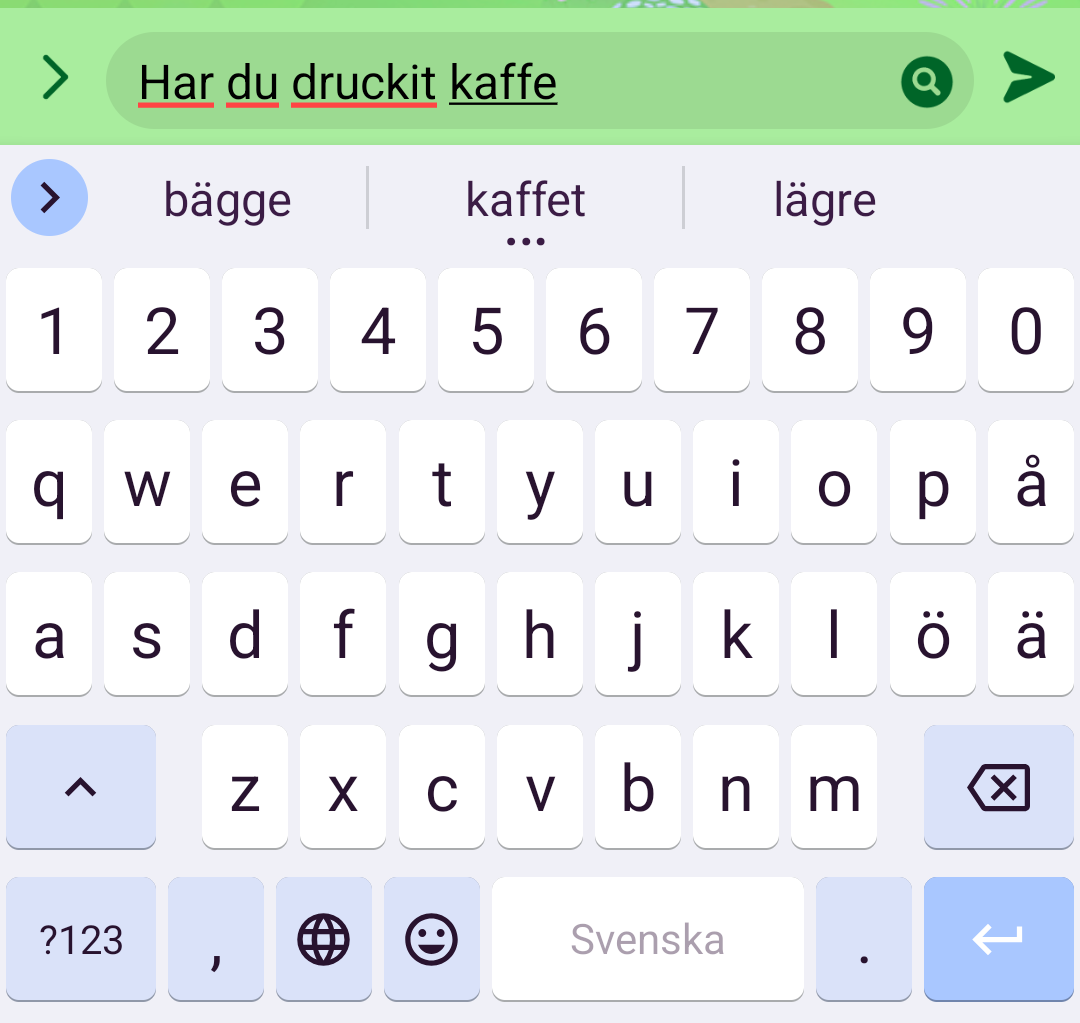
It frequently marks the text as red in my native language but never in English (unless there is a real error in the text). Anybody know why? See image below…
You must log in or # to comment.
deleted by creator
Problem still persists.
Added both the English and Swedish dictionary to the respective languages in Heliboard. I’m using GrapheneOS so maybe I can’t find the proper setting in settings.
Did you switch keyboard languages? If the keyboard language is set to something other than what you are typing in it will underline it (essentially throwing an error).
As far as I can tell Heliboard does not have a global spellcheck, you can’t add multiple languages and have it spellcheck anything but the selected language.
deleted by creator
Lol. And thank you for the advice! I’ll try this out asap.
Spell checker is on, try to disable it. (I dont know if this answers your question)
Well, I do want the spell checker, problem is it’s marking words that are correctly spelled.
I think the settings for spell checker and autocorrection are different. For me (Fairphone 4) I have to set spell checking in the system OS menu where I also select my keyboard, unlike the autocorrection that’s part of the keyboard itself and hence in those settings.
I no longer remember details, but it was something to do with HeliBoard’s dictionary and the system one. Have you checked they both have the right languages?
I was just messing with the settings and this is what worked for me…
In Heliboard settings:
- Set the language to your native language.
You may have to download and add the dictionary for your native language. For my native language it was missing, so it asked me to add it. - Turn on the multilingual typing option for English.
In system settings:
Go to Spell Checker settings (you can search that term in system settings, for me it was in Languages & Input > Tools category > Spell Checker)
- You want to enable the spell checker if it isn’t already.
- Set languages to your native language.
- Set the default spell checker to Heliboard.
This worked! Thank you so much.
The answer is here, you don’t need to enable multilingual typing, you just need to add Heliboard as spell checker on your system Settings. Then, of course, choose the right language in Heliboard and have a dictionary for that language too
- Set the language to your native language.