

It seems that a lot of new people have learned about these platforms from a popular post on Reddit. We currently see 78 notifications (and counting) and a pile of applications on piefed.ca too many registration applications for me to keep this up to date.
I am pinning this thread on both platforms for new users to pop in to and ask questions. Please give them a warm welcome!
Please let us know how we can help! For example, here are some tips on finding communities: https://fedecan.ca/en/guide/lemmy/for-users/how-to-find-communities The guide says Lemmy, but the steps are the same on Piefed
Since a lot of people arrived here from r/BuyCanadian, maybe you will be interested in [email protected]
🍁 Finding Canadian Communities on Piefed
- Open a topic from this list: https://piefed.ca/topics
- Browse that entire topic, or subscribe to individual communities from the sidebar
edit: 392 new users on the first day and hundreds more since then, all from one post 🥳
Just joined. I was suggested to use an app called Voyager for this. Having some trouble getting that to work. Does any have a step by step? I’ve already registered and been approved for piefed.ca. So when I went to login, it gives me an network error.
Edit: looking into it more, do we have to make a lemmy.ca server account as well?
Edit 2: after waiting for a while and trying a few more times before waiting longer I am happy to update that I am now logged into the Voyager app on my account using the easy steps provided and I think it was simply just a server load issue that needed time to just resolve itself. I’m happy to be here and can’t wait to see what’s going on!
Thank you all for assisting me!
For sure! Here is what I did:
The same app can be used to sign in to a number of websites, so that might be the point of confusion. However, once you have signed in, you should be able to use it normally from here on out :)
Thank you for this. This is exactly what I’ve done and I run into a connection error notice. Turned off wifi and tried again, still not working.
Can you try again now? I think there are two potential causes:
I just reinstalled Voyager and tried it all again and the same error is occurring.
I will take a break for now and try again later on. I love how much help I’ve received and hopefully my issue can be resolved and help others in the future.
Are you able to view piefed.ca in the web browser of the device that you’re trying to use the app on? Do you have a VPN enabled?
That should hopefully narrow down where the problem is. We might also be having issues with CloudFlare, we’re looking into that :)
Yes I was able to access piefed.ca on the browser, that’s how I was replying initially. No VPN enabled at the time.
I did manage to sign in on the app earlier. I think it must’ve just been a server load issue from earlier and it is working now!
Thank you!
You might have to type in piefed.ca as your instance. I think it asks what instance you’re on, but it’s probably not on the list. Once you’re in, you’ll love it and all of this is worth it. I swear.
Edit: Also, it looks like there is a voyager crypto app, be sure to get the lemmy version. https://vger.app/
I downloaded the app from droid-ify called Voyager for Lemmy, it looks exactly what you linked so not sure that’s the issue.
Thank you
I use boost or synch, but I’m using lemmy.ca and not piefed.
Boost also supports Piefed, the login process is similar on Boost :)
Have you installed it already, what issue are you running into?
You should be able to select PieFed.ca and login with your credentials
I’ve installed Voyager already yes. On the app I select the “get started” from lemmy.zip and from there I can either click “join lemmy.zip”, “picker another server”, OR click “login”
When I click login, I can select the piefed.ca server and then enter my info and that’s where it says “connection error, please try again”
Do I need to first make a lemmy.ca account?
You should be able to just click login, select the server and then login
Like this: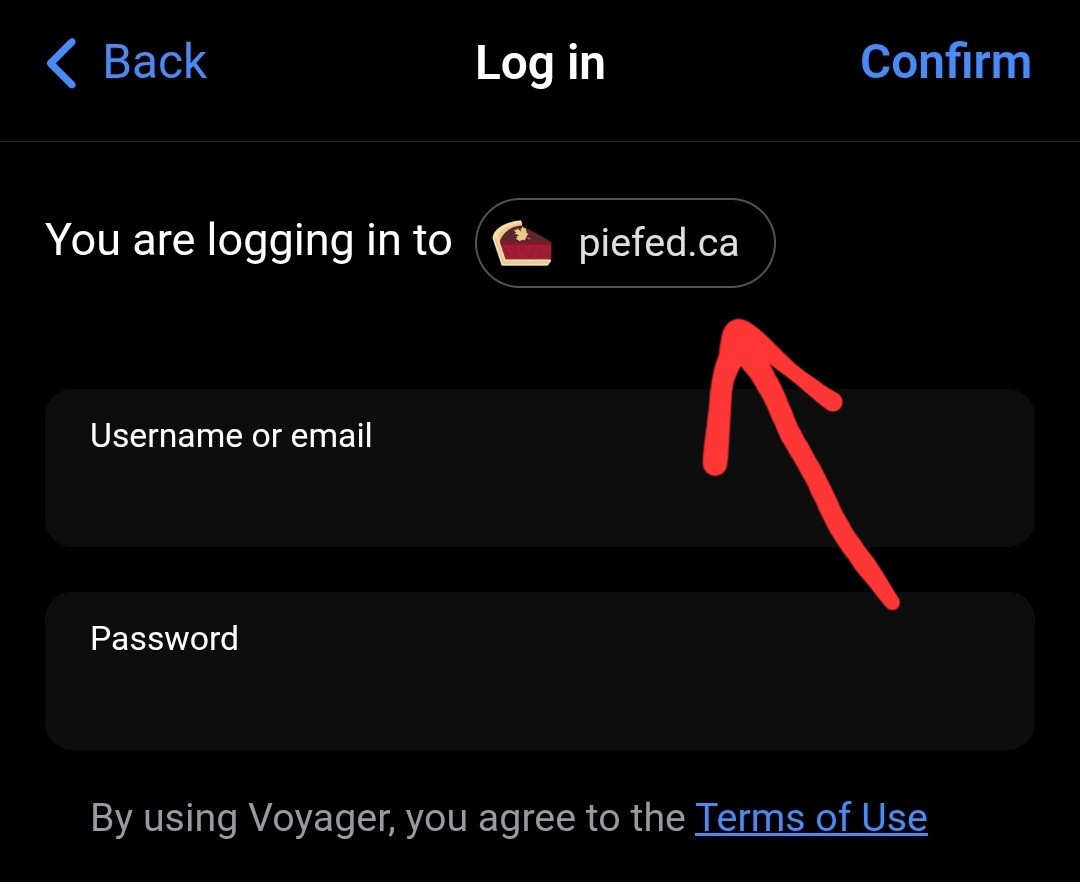 With the same username and password you used to login to PieFed.ca on your browser.
No nees for a lemmy.ca account.
You should be getting started with piefed.ca. Is it a pulldown?