A lot of devs don’t put much work into planning the flow of their GUI from a user’s perspective and it really shows.
IMHO a UI should offer everything a user can do in a given moment, readily available, nothing hidden behind more than a single menu. If something isn’t currently possible, it shouldn’t be available, and if the dev chooses to make the option visible but unavailable, it should be clearly and visibly marked as something that can be available (grayed out text for example).
I think devs tend to overestimate both the skill of the user, and the usefulness of their UI.
a UI should offer everything a user can do in a given moment, readily available, nothing hidden behind more than a single menu.
That would be a nightmare for any sufficiently complex software. Can you imagine how dense the UI would need to be for something like Blender or even Excel if literally every possible option of “things available to do right now” had to be at most two clicks away?
Bud theres obviously exceptions for massive suites like that. But I’m talking about apps with built in UIs that the dev clearly threw together as a last minute thought. Apps with every single thing you could possibly have to do either burried deep in 10k submenus, or hastily packed onto a window.
All I’m saying is there should be a clear and obvious workflow. Devs shouldn’t be afraid to say “I know better than you, do it this way”. Throwing every single tool on a toolbar like with Office suites or editing suites is awful IMO. Gimme menus, but gimme menus that make sense (looking at you Microsoft)
Anyway, you can disagree with me, and it won’t ever effect you, that’s the beautiful thing about the open software world. My opinions can be total shit, and you get to just ignore them 🥰
Sorry for rambling, I’m losing my mind a little bit more every day 🫡
I don’t really disagree, at least in principle. You’re absolutely correct that workflows should be clear and developers often do not make good UI/UX. You just didn’t really qualify your original statement with any of that and made it an absolute, but you’ve clarified now and I’m pretty sure we agree.
For excel as an example isnt it already like that? One click to the ribbon/menu, one click to the option, and maybe a 3rd if that option had a nuance dropdown
That’s when you go to alternativeto.net and get a different one. If you’re running into that problem then you just are using the wrong tools.
We’re talking about programs that are equally useful in both GUI and CLI, we’re not talking about libre office which is necessarily complex or a video editing program with a thousand transitions. Those are always going to be cryptic and always going to be GUI.
The problem with CLI is it can’t be made easier with a different interface.


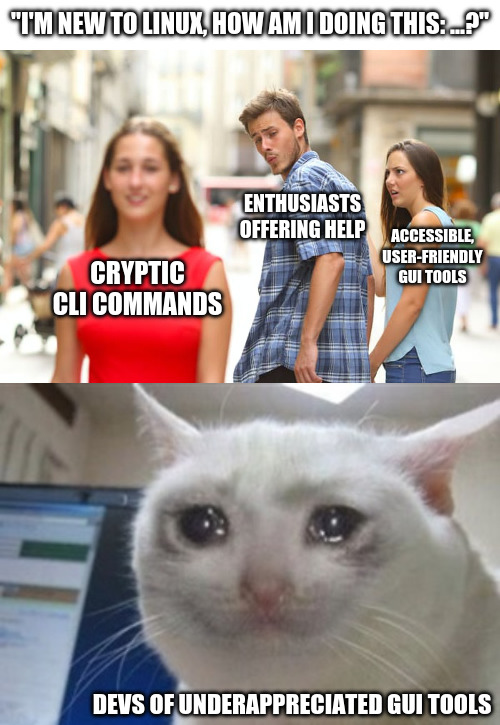
I find it’s the GUI tools that are usually cryptic, especially when you want to do more than the most basic operations.
A lot of devs don’t put much work into planning the flow of their GUI from a user’s perspective and it really shows.
IMHO a UI should offer everything a user can do in a given moment, readily available, nothing hidden behind more than a single menu. If something isn’t currently possible, it shouldn’t be available, and if the dev chooses to make the option visible but unavailable, it should be clearly and visibly marked as something that can be available (grayed out text for example).
I think devs tend to overestimate both the skill of the user, and the usefulness of their UI.
That would be a nightmare for any sufficiently complex software. Can you imagine how dense the UI would need to be for something like Blender or even Excel if literally every possible option of “things available to do right now” had to be at most two clicks away?
Bud theres obviously exceptions for massive suites like that. But I’m talking about apps with built in UIs that the dev clearly threw together as a last minute thought. Apps with every single thing you could possibly have to do either burried deep in 10k submenus, or hastily packed onto a window.
All I’m saying is there should be a clear and obvious workflow. Devs shouldn’t be afraid to say “I know better than you, do it this way”. Throwing every single tool on a toolbar like with Office suites or editing suites is awful IMO. Gimme menus, but gimme menus that make sense (looking at you Microsoft)
Anyway, you can disagree with me, and it won’t ever effect you, that’s the beautiful thing about the open software world. My opinions can be total shit, and you get to just ignore them 🥰
Sorry for rambling, I’m losing my mind a little bit more every day 🫡
I don’t really disagree, at least in principle. You’re absolutely correct that workflows should be clear and developers often do not make good UI/UX. You just didn’t really qualify your original statement with any of that and made it an absolute, but you’ve clarified now and I’m pretty sure we agree.
For excel as an example isnt it already like that? One click to the ribbon/menu, one click to the option, and maybe a 3rd if that option had a nuance dropdown
That’s when you go to alternativeto.net and get a different one. If you’re running into that problem then you just are using the wrong tools.
We’re talking about programs that are equally useful in both GUI and CLI, we’re not talking about libre office which is necessarily complex or a video editing program with a thousand transitions. Those are always going to be cryptic and always going to be GUI.
The problem with CLI is it can’t be made easier with a different interface.
That’s what TUI (like ncurses) is for.