

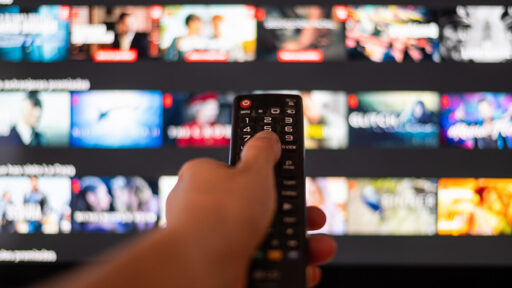
Even with LG’s concession, it may become more difficult to avoid chatbots on TVs.
LG says it will let people delete the Copilot icon from their TVs soon, but it still has plans to weave the service throughout webOS. The Copilot web app rollout seems to have been a taste of LG’s bigger plans to add Copilot to some of its 2025 OLED TVs. In a January announcement, LG said Copilot will help users find stuff to watch by “allowing users to efficiently find and organize complex information using contextual cues.” LG also said Copilot would “proactively” identify potential user problems and offer “timely, effective solutions.”
Some TVs from LG’s biggest rival, Samsung, have included Copilot since August. Owners of supporting 2025 TVs can speak to Copilot using their remote’s microphone. They can also access Copilot via the Tizen OS homescreen’s Apps tab or through the TVs’ Click to Search feature, which lets users press a dedicated remote button to search for content while watching live TV or Samsung TV Plus. Users can also ask the TV to make AI-generated wallpapers or provide real-time subtitle translations.
When you get a new TV, make sure it supports CEC so you can bypass all this bullshit.
CEC allows your input devices to change inputs, control power, control volume, etc.
My current setup is a Samsung QLED, Xbox, and Apple TV. All support CEC and I never touch the Samsung remote and have no idea what’s in the Samsung menus anymore.
If I turn on the streaming box, the tv turns on, the input changes, and all I see is the streaming box UI. Same for the game console. CEC is fucking incredible and an underrated thing that doesn’t get the flowers it deserves. It just works.
Edit: imagine your TV is dumb monitor with a KVM. That’s what CEC feels like when it’s setup correctly.
This post deserves to be a Technology Connections video
Oh my god he would have so much fun with CEC. What a wonderful and cursed protcol
Hey, I remember your website!
Slava Ukraine!
Woah is that actually rarbg in the wild, in 2025!?
https://rarbgdump.com/
deleted by creator
I detest that man so much now. His first videos were good, then his ego started growing, then the bitchy gay man presentation started. I find that so off-putting. Drop the 'tude and give the facts my man.
Imagine complaining about highly informative, IIRC ad-free, high effort videos (that you don’t have to watch, btw) because he complains about industry trends too much and seems a bit camp.
Imagine a person having personal preferences - holy shit what a mind-blowing concept that must be for you
Re-read my comment, you plonker. I said you don’t have to watch, i.e. having preferences is fine.
If your preference is that people “act straight”, however, I’ll call you out on it.
God, what a fucking moron you are. Such a simple point that you completely failed to grasp.
My suggestion is you go get some therapeutic services for the difficulties that plague your mind.
I don’t like the guy, it hurts your feelings, that’s a you problem you little baby
CEC has little to do with this; it’s an app that’s installed not a button on the remote. The search button referenced can use copilot but it’s not necessary (ie you can use the default webOS search) nor is the button copilot branded.
CEC is awesome, it just doesn’t address the issue raised by putting copilot/other AI apps on the smart TV itself. For that you just disable the internet connection.
My point about CEC is that it doesn’t matter what silly crap they install on the TV. You won’t see the unremovable apps and ads if CEC will bypass that junk entirely.
A good CEC setup will kind of feel like your TV is a dumb monitor and there is a KVM that switches all the auto and video when you pick up a game controller or streaming box remote.
I never see my TV’s software and I never touch my TV’s remote.
It’s not even an app, it’s just a link to the copilot website
Yup. It’s awesome.
When I turn on my Switch 2 with its remote, the TV starts with the Switch HDMI input. When I turn the TV off with the remote, the Switch 2 turns off. The Switch 1 did the same thing. Stuff like this is awesome.
My last TV’s remote could even control playback on my Chromecast.
LG magic remote can’t though for some reason. Disappointing.
That’s what I do. I have an LG OLED from 6-7 years ago and I have no idea what the UI looks like. But to be fair this is only because I don’t watch traditional TV at all. It’s just an Apple TV for most streaming services and a Mac Mini for some other things like adblocked youtube (with one of those cheap gyro mouse and keyboard bluetooth remotes). I guess I wouldn’t have to use the satellite TV though, I could get iptv via my fibre isp too, but that’d cost money.
The Mac is not good at supporting CEC other than switching source when it wakes up, but even that’s not an issue because I can still use the Apple TV remote to control volume even when something else is the active source. Speaking of volume, my setup also includes a Samsung sound bar which also has a remote that I never actually have to use. Everything mostly just works.
Nope, CEC sucks. It makes lots of simple stuff complicated and it often does things on its own.
Just don’t connect TV to the internet or purchase a dumb PC monitor.
What devices have you tried it with?
I’ve been very happy with Samsung’s implementation paired with Apple and Microsoft devices.
That said, I haven’t see how things play out with other TV brand and input devices from Sony, Roku, etc. I only know that my setup has been pretty damn bulletproof.
Same here. I have my PS5 and Chromecast w/GTV via CEC, and haven’t seen the TVs UI in a long time. No issues whatsoever.
I’ve used many throughout the years. There’s always something goofy going on. Watching something on input one might automatically switch to another input that is just doing a network software update check in sleep mode. Or someone picks up a game controller and accidentally presses a button which will also suddenly switch inputs.
CEC is only good if the devices connected to it are very limited and if you want to do all software updates for everything manually.
LG’s implementation is both good and bad. It doesn’t automatically switch over, but it pops up a dialog box asking if you want to switch inputs whenever another input is connected or device turned on.
Samsung did neither, and I always had to manually switch inputs.
It may depend on the LG TV or maybe it’s a setting. I just bought a new one and have a Google streamer on it and use it’s remote to turn on the streamer, soundbar and TV with a single button. I never see the LG UI itself unless I need to change a setting, and I’ve disabled it’s wifi entirely. I don’t get any kind of popups from the TV, it just works cleanly with the streamer.
Find me a 60", 4K OLED with proper HDR support and ease of wall-mounting that’s anywhere near the price of a TV.
I’d love to buy a monitor and use it like that, but it’s a fantasy.
You can just never connect it to the internet. That’s your 60” wall-mounted monitor.
https://dggaming.org/best-dumb-tvs/
So a TV then