True for notebooks.
(For years my home NAS was an old Asus EEE PC)
Desktops, on the other hand, tend to consume a lot more power (how bad it is, depends on the generation) - they’re simply not designed to be a quiet device sitting on a corner continuously running a low CPU power demanding task: stuff designed for a lot more demanding tasks will have things like much bigger power sources which are less efficient at low power demand (when something is design to put out 400W, wasting 5 or 10W is no big deal, when it’s designed to put out 15W, wasting 5 or 10W would make it horribly inefficient).
Meanwhile the typical NAS out there is running an ARM processor (which are known for their low power consumption) or at worse a low powered Intel processor such as the N100.
Mind you, the idea of running you own NAS software is great (one can do way more with that than with a proprietary NAS, since its far more flexible) as long as you put it in the right hardware for the job.
I have used laptops like this and I find that eventually the cooling system fails, probably because they aren’t meant to run all the time like a server would be. various brands including Dell and Lenovo and MSI and Apple. maybe it’s the dust in my house. I don’t know
Yeah, different hardware is designed for different use cases and generally won’t work as well for other use cases, which is also why desktops seldom make for great NAS servers (their fans will also fail from constant use, plus their design spec is for much higher power usage so they have a lot more power waste even if trottled down).
That said my ASUS EEE PC lasted a few years on top of a cabinet in my kitchen (which is were the Internet came into my house so the router was also there) with a couple of external HDDs plugged in, and that’s a bit of a hostile environment (because some of the particulates from cooking, including fat, don’t get pulled out and end up accumulating there).
At the moment I just have a Mini-PC on my living room with a couple of external HDDs plugged in that works as NAS, TV Media Box and home server (including wireguard VPN on top of a 1Gbps connection, which at peak is somewhat processor intensive). It’s an N100 and the whole thing has a TDP of 15W so the fan seldom activates. So far that seems to be the best long term solution, plus it’s multiple use unlike a proprietary NAS. It’s the some of the best €140 (not including the HDDs) I’ve ever spent.
When I had my setup with an ASUS EEE PC I had mobile external HDDs plugged to it via USB.
Since my use case was long-term storage and feeding video files to a Media TV Box, the bandwidth limit of USB 2.0 and using HDDs rather than SDDs was fine. Also back then I had 100Mbps ethernet so that too limited bandwidth.
Even in my current setup where I use a Mini-PC to do the same, I still have the storage be external mobile HDDs and now badwidth limits are 1Gbps ethernet and USB 3.0, which is still fine for my use case.
Because my use case now is long term storage, home file sharing and torrenting, my home network is using the same principles as distributed systems and modern microprocessor architectures: smaller faster data stores with often used data close to were its used (for example fast smaller SDDs with the OS and game executables inside my gaming machine, plus a torrent server inside that same Mini-PC using its internal SDD) and then layered outwards with decreasing speed and increasing size (that same desktop machine has an internal “storage” HDD filled with low use files, and one network hop from it there’s the Mini-PC NAS sharing its external HDDs containing longer term storage files).
The whole thing tries to balance storage costs and with usage needs.
I suppose I could improve performance a bit more by setting up some of the space in the internal SDD in the Mini-PC as a read/write cache for the external HDDs, but so far I haven’t had the patience to do it.
I used to design high performance distributed computing systems and funnilly enough my home setup follows the same design principles (which I had not noticed until thinking about it now as I wrote this).


True for notebooks. (For years my home NAS was an old Asus EEE PC)
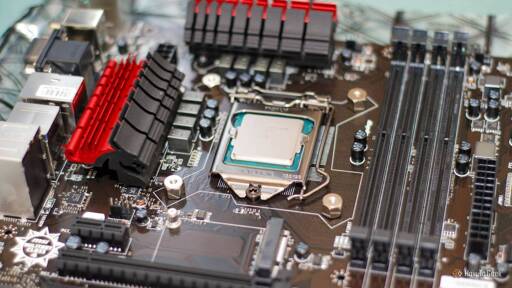
Desktops, on the other hand, tend to consume a lot more power (how bad it is, depends on the generation) - they’re simply not designed to be a quiet device sitting on a corner continuously running a low CPU power demanding task: stuff designed for a lot more demanding tasks will have things like much bigger power sources which are less efficient at low power demand (when something is design to put out 400W, wasting 5 or 10W is no big deal, when it’s designed to put out 15W, wasting 5 or 10W would make it horribly inefficient).
Meanwhile the typical NAS out there is running an ARM processor (which are known for their low power consumption) or at worse a low powered Intel processor such as the N100.
Mind you, the idea of running you own NAS software is great (one can do way more with that than with a proprietary NAS, since its far more flexible) as long as you put it in the right hardware for the job.
I have used laptops like this and I find that eventually the cooling system fails, probably because they aren’t meant to run all the time like a server would be. various brands including Dell and Lenovo and MSI and Apple. maybe it’s the dust in my house. I don’t know
Yeah, different hardware is designed for different use cases and generally won’t work as well for other use cases, which is also why desktops seldom make for great NAS servers (their fans will also fail from constant use, plus their design spec is for much higher power usage so they have a lot more power waste even if trottled down).
That said my ASUS EEE PC lasted a few years on top of a cabinet in my kitchen (which is were the Internet came into my house so the router was also there) with a couple of external HDDs plugged in, and that’s a bit of a hostile environment (because some of the particulates from cooking, including fat, don’t get pulled out and end up accumulating there).
At the moment I just have a Mini-PC on my living room with a couple of external HDDs plugged in that works as NAS, TV Media Box and home server (including wireguard VPN on top of a 1Gbps connection, which at peak is somewhat processor intensive). It’s an N100 and the whole thing has a TDP of 15W so the fan seldom activates. So far that seems to be the best long term solution, plus it’s multiple use unlike a proprietary NAS. It’s the some of the best €140 (not including the HDDs) I’ve ever spent.
How does a notebook—outside of including a DAS—provide meaningful storage volume?
When I had my setup with an ASUS EEE PC I had mobile external HDDs plugged to it via USB.
Since my use case was long-term storage and feeding video files to a Media TV Box, the bandwidth limit of USB 2.0 and using HDDs rather than SDDs was fine. Also back then I had 100Mbps ethernet so that too limited bandwidth.
Even in my current setup where I use a Mini-PC to do the same, I still have the storage be external mobile HDDs and now badwidth limits are 1Gbps ethernet and USB 3.0, which is still fine for my use case.
Because my use case now is long term storage, home file sharing and torrenting, my home network is using the same principles as distributed systems and modern microprocessor architectures: smaller faster data stores with often used data close to were its used (for example fast smaller SDDs with the OS and game executables inside my gaming machine, plus a torrent server inside that same Mini-PC using its internal SDD) and then layered outwards with decreasing speed and increasing size (that same desktop machine has an internal “storage” HDD filled with low use files, and one network hop from it there’s the Mini-PC NAS sharing its external HDDs containing longer term storage files).
The whole thing tries to balance storage costs and with usage needs.
I suppose I could improve performance a bit more by setting up some of the space in the internal SDD in the Mini-PC as a read/write cache for the external HDDs, but so far I haven’t had the patience to do it.
I used to design high performance distributed computing systems and funnilly enough my home setup follows the same design principles (which I had not noticed until thinking about it now as I wrote this).